How to Recycle or Donate Old Electronics Safely
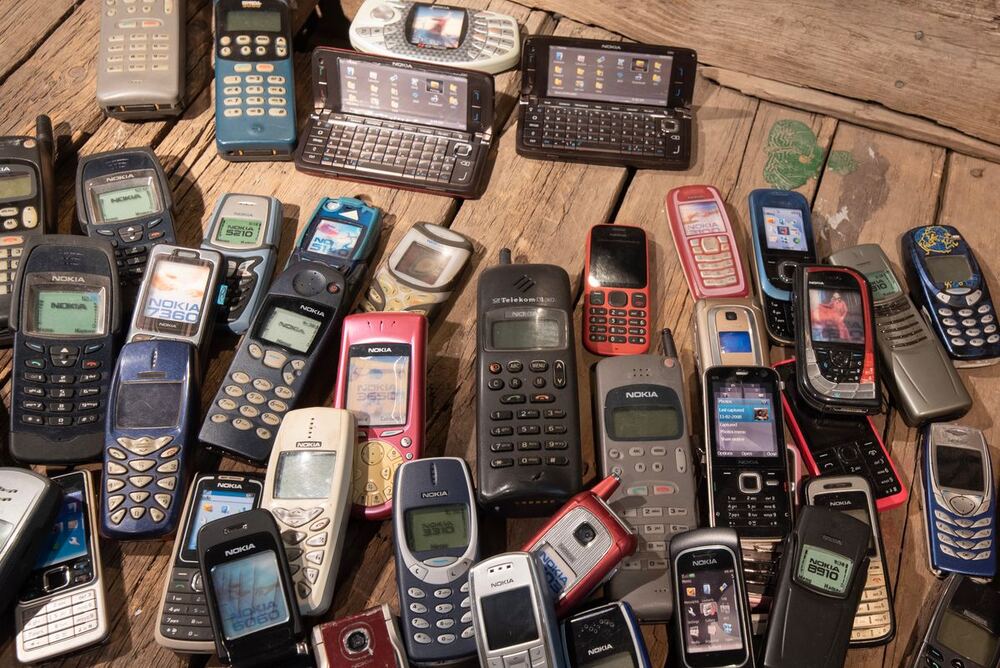
Old phones, laptops, tablets and cables pile up in drawers. They can still be useful to someone else, and when they cannot, they contain materials worth recovering.
The US Environmental Protection Agency (EPA) says electronic products are made from valuable resources, including metals, plastics and glass, all of which require energy to mine and manufacture. Donating or recycling electronics conserves natural resources and avoids air and water pollution.
It quotes a 2006 estimate from the US Geological Survey that recycling one million laptops saves the energy equivalent to the electricity used by more than 3,500 US homes in a year, and that for every million cell phones recycled, 35,000 pounds of copper, 772 pounds of silver, 75 pounds of gold and 33 pounds of palladium can be recovered. These are older estimates, but they show why this material is worth keeping out of the trash.
The EPA also estimated that 2.7 million tons of consumer electronics were generated in the United States in 2018, and about 38.5% was recycled.
Step 1: Decide whether to keep, repair or pass on
The EPA suggests that for a computer or laptop you consider upgrading the hardware or software instead of buying a new product. A battery replacement or more memory can add years of life. Look at repair options first, then consider donating a working device to a school, charity or community group.
Step 2: Protect your data
Before you donate or recycle:
- Back up what you want to keep.
- Sign out of accounts such as cloud storage, email and app stores.
- Delete all personal information, as the EPA advises. For phones and tablets, use the factory reset option. For computers, use a secure erase tool or the operating system's reset function, and consider encrypting the drive first.
- Remove SIM cards and memory cards.
- For old hard drives with sensitive information, consider physical destruction or a recycler that provides certified data destruction.
A simple delete is not enough. Deleted files can sometimes be recovered.
Step 3: Remove the batteries if you can
The EPA says to remove any batteries from your electronics, because they may need to be recycled separately. It also says that lithium-ion batteries and devices containing them should not go in household garbage or recycling bins. If a battery is swollen, leaking or damaged, handle it with care and ask the manufacturer or your local hazardous waste program for instructions. See our battery recycling guide.
Step 4: Use a certified recycler
Not all e-waste recyclers are equal. Some ship waste abroad or dump it. The EPA maintains a page about certified electronics recyclers, which explains what certification means. Look for recyclers certified under programs the EPA lists.
Options the EPA mentions include manufacturers and retailers that offer donation or recycling programs, plus local collection events and community recycling centers. Many electronics stores have take-back bins for small items. Local household hazardous waste programs often take electronics too. Electronics cannot be recycled at the curb in most places.
Ask any recycler:
- Are you certified, and by which program?
- Do you reuse or refurbish items, or shred them?
- What happens to materials you cannot process?
- Is there a fee?
Step 5: Keep it out of the trash
Many places have laws against putting electronics in the trash. Even where it is legal, electronics contain materials that are better recovered. Check your city or regional rules.
What counts as e-waste?
- Phones, tablets and laptops.
- TVs and monitors.
- Printers and routers.
- Game consoles and controllers.
- Cables, chargers and remote controls.
- Headphones and smart speakers.
- Small appliances with circuit boards.
A quick decision guide
| Item | Best option |
|---|---|
| Working phone or laptop | Donate or sell after wiping |
| Broken phone | Manufacturer or retailer take-back, or certified recycler |
| Old TV | Local e-waste event, retailer or certified recycler |
| Cables and chargers | Electronics store take-back or local drop-off |
| Device with a swollen battery | Contact the manufacturer or hazardous waste program |
Reduce e-waste before it starts
- Repair instead of replacing when practical.
- Buy a model with a replaceable battery or good repair support if you can.
- Buy refurbished.
- Use one charger for several devices.
- Hold your phone or laptop a year longer than you planned.
For general rules on what belongs in the bin, see our guide to common recycling mistakes.
Sources
- US EPA, "Electronics Donation and Recycling": https://www.epa.gov/recycle/electronics-donation-and-recycling
- US EPA, "How Do I Recycle Common Recyclables": https://www.epa.gov/recycle/how-do-i-recycle-common-recyclables
- US EPA, "Certified Electronics Recyclers": https://www.epa.gov/electronics-batteries-management/certified-electronics-recyclers